Browsing Annotations
Find and navigate regulation-disclosure pairs.
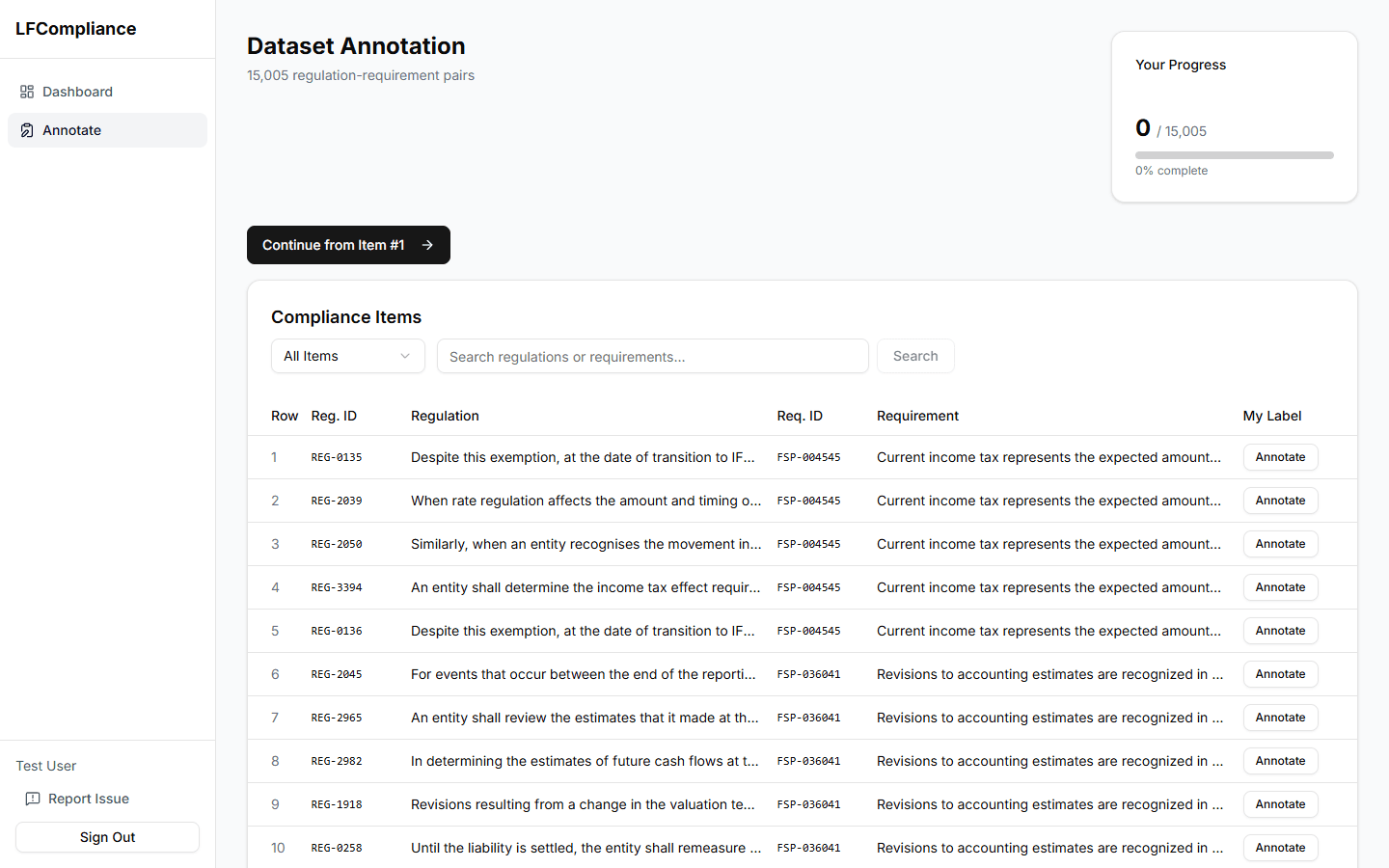
Progress card
At the top of the page, a card shows how many items you've annotated and your overall completion percentage.
Continue button
Click "Continue" to jump to the next unannotated item, or use the table to pick a specific one.
Compliance table
A paginated table lists all regulation-disclosure pairs. Each row shows the regulation ID, a text preview, and your current annotation (if any).
Filter bar
Use the filter bar to narrow results by annotation status (all, annotated, pending) and search by regulation or disclosure text.
Pagination
Navigate between pages using the pagination controls at the bottom of the table.
Click a row
Click any row to open that item's annotation page, where you can review the full text and submit your judgment.
legalfinance.aghoghomena.com
Progress card
Filter & search